Frequently Asked Questions
Find answers to common questions about Command Maker.
Installation & Setup
What version of Minecraft does Command Maker support?
Command Maker currently supports Minecraft 1.21.9+. The mod requires Fabric as the mod loader.
Do I need Fabric API?
Yes, Fabric API is required for the mod to run. Download it from Modrinth and place it in your mods folder.
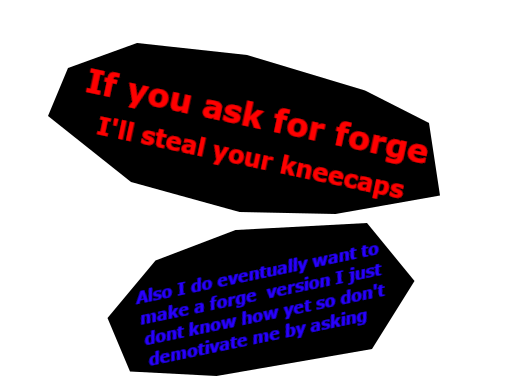
Can I use Command Maker on Forge?
No, Command Maker is built for Fabric only. We have no plans for Forge support at this time because I don't know how. There are some forge downloads on Modrinth but they are all alpha and none of them work.
How do I install the mod?
See the Installation Guide for step-by-step instructions.
Creating Commands & Aliases
What's the difference between Aliases and Custom Syntax?
Aliases are simple name shortcuts that execute a command. Custom Syntax allows you to create patterns with parameters, like /tpa <player>.
How do I create a new alias?
Use the /addcommand add <alias> <command> command in-game. Example:
/addcommand add hello say Hello ${player}!Can I have spaces in alias names?
No, alias names must be single words without spaces. Use the pattern like /hello world if you need multi-word triggers.
How many aliases can I create?
There's no hard limit, but performance depends on your hardware and the complexity of the commands.
Variables & Substitution
What are the built-in variables?
Command Maker includes:
${player}- The player's username${x}- X coordinate${y}- Y coordinate${z}- Z coordinate${syntax_name_param}- Custom syntax parameters${custom_variable}- User-defined variables
How do I create custom variables?
Use /setcmdvariable <name> <value>. Example:
/setcmdvariable admin_discord https://discord.gg/exampleThen use ${admin_discord} in your commands.
Are variables case-sensitive?
Yes, variable names are case-sensitive. ${Player} is different from ${player}.
Custom Syntax System
How do I create a custom syntax pattern?
Edit config/CommandMaker/syntax.json and define patterns like:
{
  "tpa": {
    "pattern": "/tpa <player>",
    "description": "Send TPA request"
  }
}
Can I have multiple parameters?
Yes! Example: /ban <player> <reason> will extract both parameters.
How do I use syntax parameters in commands?
Use ${syntax_name_param} format. For pattern /tpa <player>, use ${tpa_player}.
Can patterns overlap?
The first matching pattern is used. Order matters! More specific patterns should come first.
Configuration & Files
Where are the config files located?
Configuration files are in config/CommandMaker/ directory:
aliases.json- Your custom aliasessyntax.json- Custom syntax patternsvariables.json- Persistent custom variables
Can I edit config files directly?
Yes, you can edit JSON files directly with any text editor. After editing, run /addcommand reload to apply changes.
What happens if my JSON is invalid?
The mod will log errors and fall back to the last known good configuration. Fix the JSON and reload.
Can I backup my configurations?
Yes! Copy the entire config/CommandMaker/ folder to a safe location.
Using the GUI
How do I open the alias GUI?
Run the command: /deletealiases-gui
Can I search in the GUI?
The GUI shows all your aliases in a scrollable list. Filter by typing in the search box.
How do I delete an alias from the GUI?
Click the red "Delete" button next to the alias you want to remove.
Troubleshooting
My aliases aren't working!
Check the Troubleshooting Guide for common issues.
Why doesn't my syntax pattern work?
Make sure:
- JSON syntax is correct (use a JSON validator)
- You ran
/addcommand reload - Pattern uses correct format
<parameter> - You used
${syntax_name_param}in the alias command
Getting "JSON parse error"?
Your JSON file has syntax errors. Use an online JSON validator like JSONLint.
Mod won't load?
Ensure you have:
- Fabric Loader installed
- Fabric API in mods folder
- Java 21 or higher
- Correct Minecraft version (1.21.9+)
Advanced Questions
Can I use command selectors like @a, @p?
Yes! Selectors work in command aliases. Example:
/addcommand add broadcast say [${player}]: @aCan I chain multiple commands?
Use the format: command1 && command2 && command3
Example: say Hello && playsound entity.player.levelup
How do I use scoreboards with Command Maker?
Create aliases that execute scoreboard commands:
/addcommand add score scoreboard players add ${player} kills 1Performance: Will lots of aliases slow down my server?
No. Aliases are cached after first load and have minimal performance impact.
❓ Still Have Questions?
Check the Troubleshooting Guide, see Examples, or visit our GitHub community!